
DocsGetting Started
Adding Your AI Key
Connect your free Google Gemini API key to generate practice tests instantly.
Updated 2026-08-11
How to Get Your Free Key
1
Go to Google AI Studio → Click here for API Key Page
2
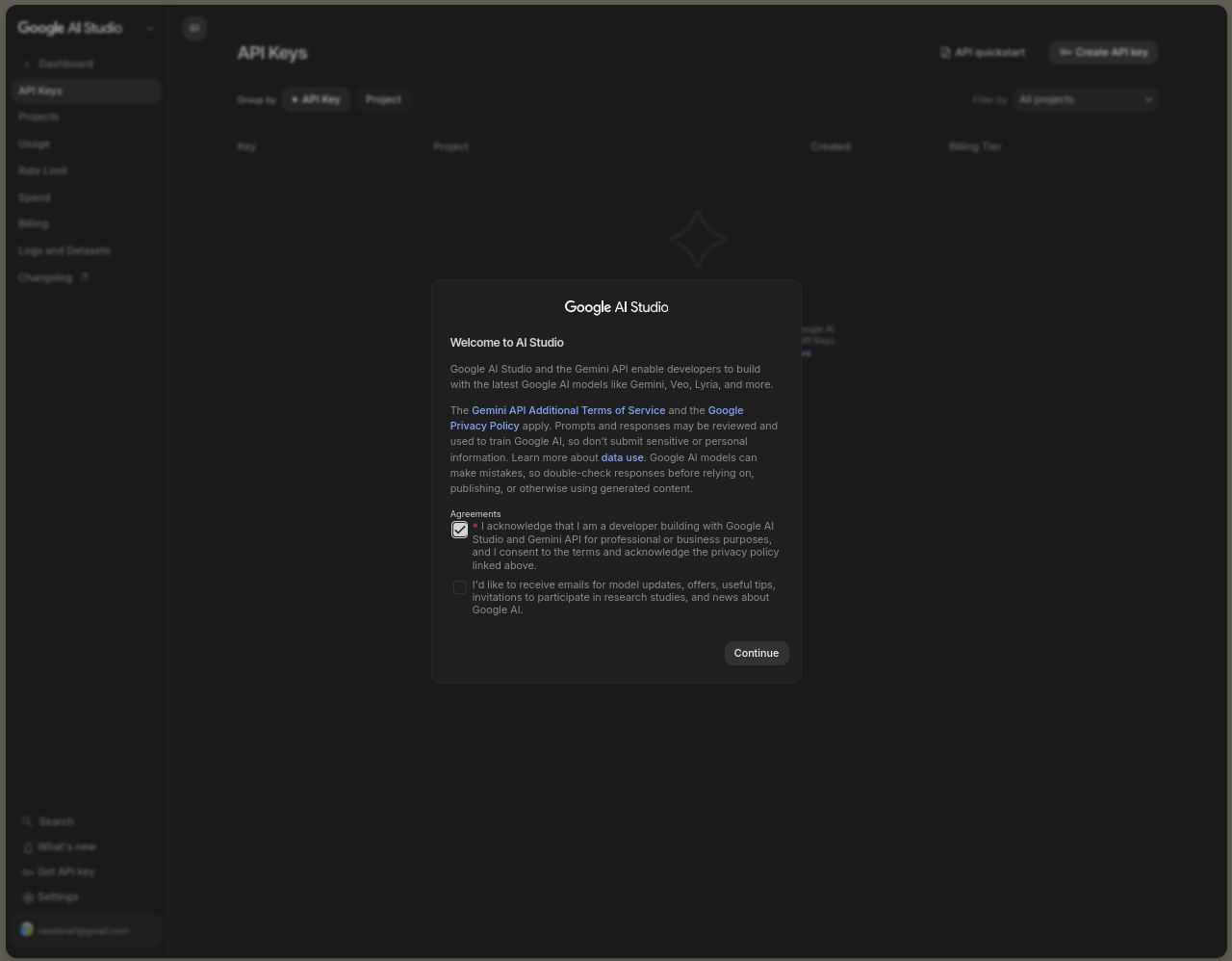
Tick the mandatory agreement box to enable the API service.
3
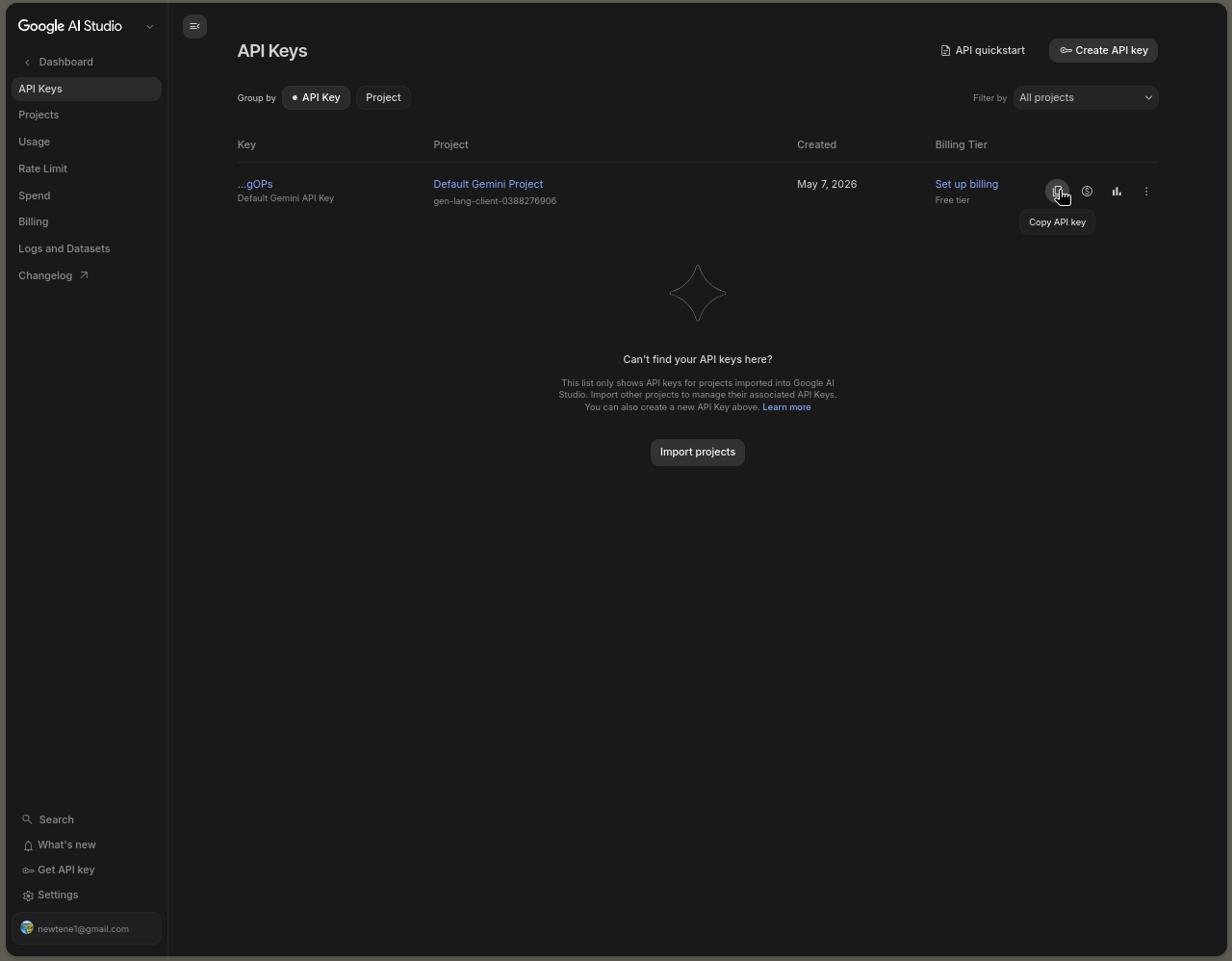
Copy the key for your default project. Paste it in the Gemini Key sidebar panel or in settings.
Is it safe?
Yes! Your key is saved directly on your device. We never see it, and it is never saved to our database. It is only stored locally on your device and used to communicate straight to Google.